See How SmartSync Connects Dental PMS Systems With CRM Platforms
SmartSync automatically synchronizes patient activity, appointments, treatments, and payments between dental practice management systems and CRM platforms used by agencies and practices.
The setup process is guided and designed to minimize disruption while ensuring accurate data synchronization.
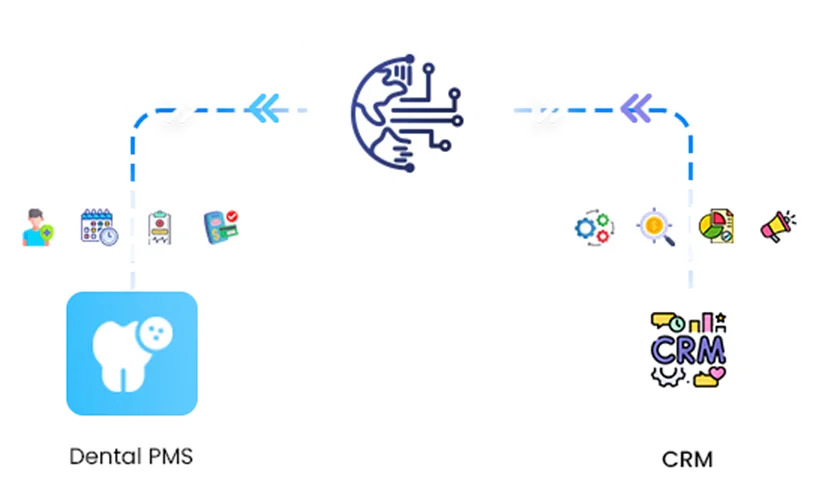
What SmartSync Enables
Built to Bridge Clinic Operations and Marketing Systems
Dental practices manage operational activity inside PMS platforms while agencies and teams manage communication and reporting inside CRM systems.
SmartSync acts as the connection layer between these systems.
When activity occurs inside the PMS, SmartSync automatically updates the CRM so marketing and reporting workflows remain accurate.
Updates typically synchronize within minutes.
How SmartSync Works
Connect Your Dental PMS
During onboarding, SmartSync makes a secure connection to your dental practice management system.
Supported systems include:
Our onboarding specialists assist throughout the process.
No interference with the day-to-day working of the clinics.
Connect Your CRM Platform
Then, SmartSync works within your CRM environment.
Supported CRMs include:
This enables clinic operational data to feed directly into marketing and reporting.
Automated CRM Configuration
SmartSync prepares your CRM for syncing automatically.
During installation:
These Fields are Updating Continuously like:
So, that's also the end of having to do any manual set up for accurate reporting.
Real-Time Data Synchronization Begins
Immediately after installation, SmartSync starts gathering key clinic activities.
Once in a while, changes appear a few minutes later (within the CRM system)
Automatically synchronized data includes:
Patient Activity
Appointment Updates
Treatment Intelligence
Financial Data
CRM workflows can automatically trigger using these updates.
Want to Talk to Us?
Schedule a quick demo and see SmartSync in action.
Power CRM Workflows Using Real Clinic Events
SmartSync does not replace your CRM automation.
Instead, it strengthens it.
When PMS activity syncs into CRM systems, existing workflows automatically activate.
Examples include:
Missed appointment recovery campaigns
Treatment follow-up automation
Patient reactivation workflows
Payment reminders.
Automation becomes aligned with real patient behavior.
Designed to Keep Your Systems in Control
SmartSync operates as a synchronization layer between systems.
SmartSync does not save any patient information in the long term.
Operational updates synchronize directly between PMS and CRM, however.
This architecture enables clinics and agencies to keep their systems under their own control and still take advantage of seamless integration.
Dependable Continuous Sync
SmartSync continuously watches synchronization activity.
Expected update times:
Data reflected within minutes
Automated syncing throughout the day
This way the reports from CRM are always up to date with the activities of the clinic.
Reliable sync reduces manual reporting errors.
Guided Setup From Start to Finish
SmartSync onboarding specialists assist agencies and clinics during implementation.
Support includes:
PMS connection assistance
CRM configuration
Custom field mapping
Opportunity setup
Data verification
Most customers begin seeing synchronized activity shortly after onboarding.
Designed for Agencies and Growing Dental Organizations
SmartSync is used by:
Dental marketing agencies
Multi-location dental groups
Practice consultants
Growth-focused clinics
Currently supporting synchronization across 80+ dental clinics
More Than an Integration Tool
SmartSync transforms operational PMS data into actionable intelligence.
It becomes the operational bridge between marketing and production.
Customers use SmartSync to:
Track marketing attribution
Monitor treatment pipelines
Analyze clinic growth
Automize CRM workflows
Frequently Asked Questions
Ready to Connect Your PMS and CRM?
See how SmartSync can automate reporting and unlock real-time revenue insights across your clinics.